
I ran into a simple issue in #Blender, and while this is easily fixable manually now, I am wondering if there's a way to clean this up automatically with more complex shapes.
I moved two cubes, that are part of the same object, into each other, and now there's overlapping vertices and edges, four overlapping faces, and two partially internal faces. Which probably isn't ideal.
Is there an option to get a clean mesh with no duplicate vertices and partially internal faces?
#b3d
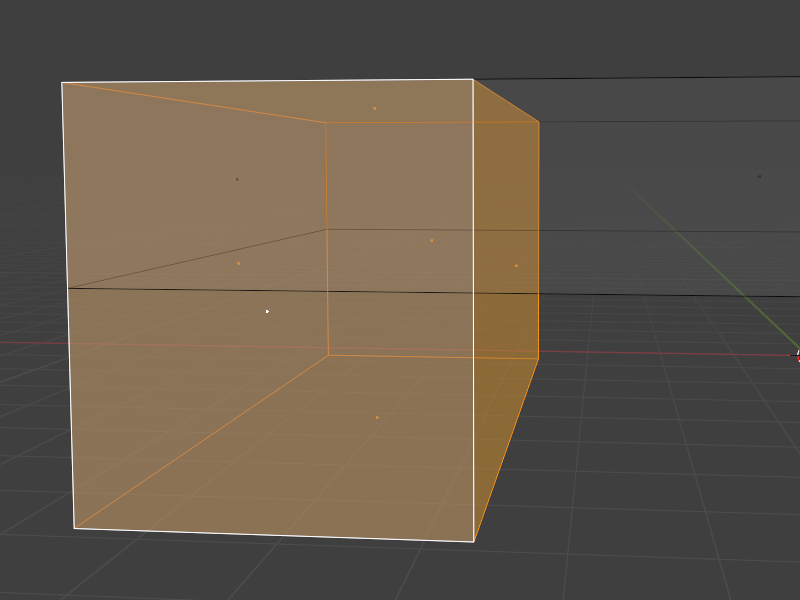
I moved two cubes, that are part of the same object, into each other, and now there's overlapping vertices and edges, four overlapping faces, and two partially internal faces. Which probably isn't ideal.
Is there an option to get a clean mesh with no duplicate vertices and partially internal faces?
#b3d
1