HOW TO SPOT PHISHING IN THE WILD
Our team has noticed a significant uptick recently in phishing attempts on Casa members, friends, and even us.
Phishing is when a scammer contacts you in an attempt to get you to give up precious information, such as login credentials or even a seed phrase. These messages can come via email, DM, or even phone call.
These attacks can sometimes be sneaky good at spoofing legitimate brands you trust. Here’s a breakdown of some emails I received and how you can detect phishing under the hood.
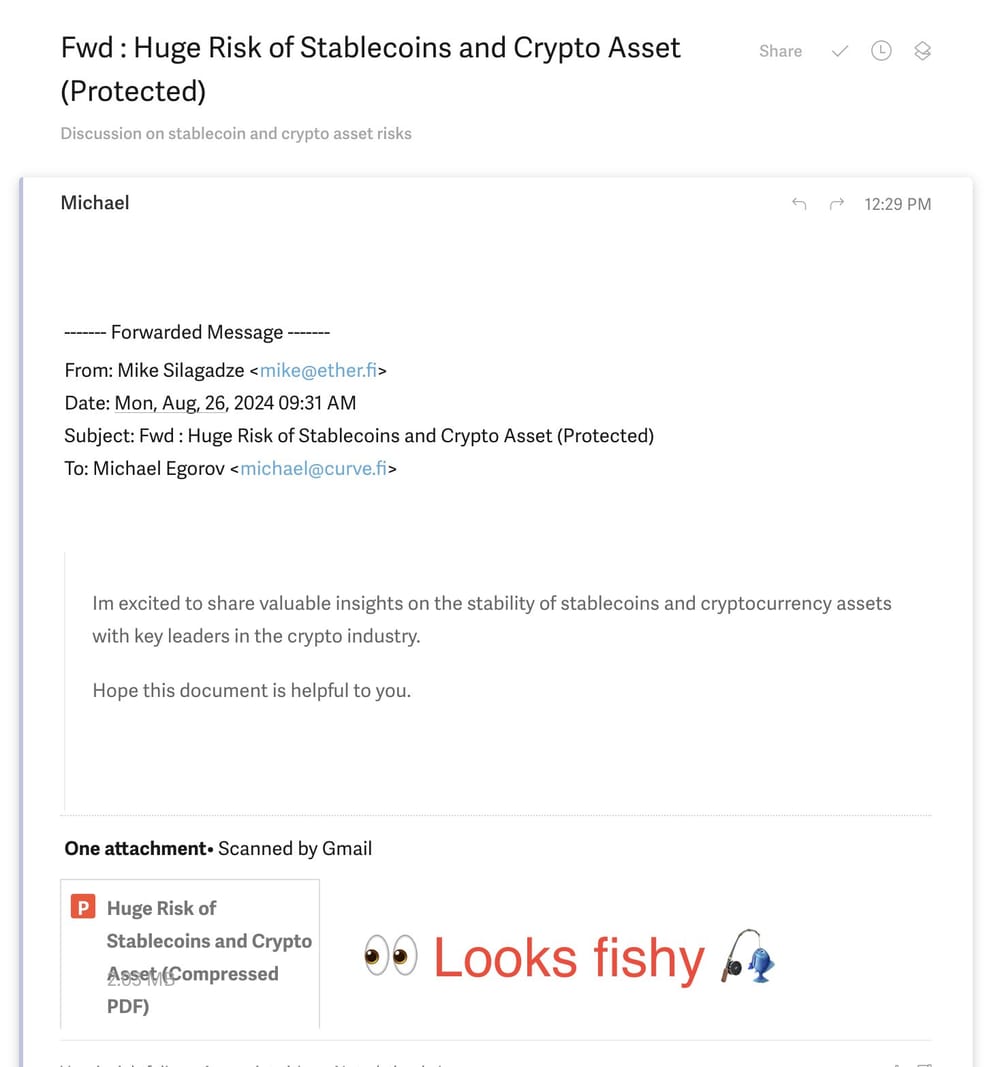
A practiced eye will catch this phishing email, but someone less aware might not. And of course you want to click immediately to see the "Huge Risk of Stablecoins!"
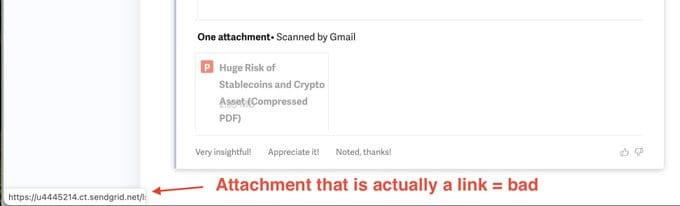
The biggest sign is that the attachment looks weird in the Superhuman email client. When I hovered over the attachment, it turned out to be an external link!
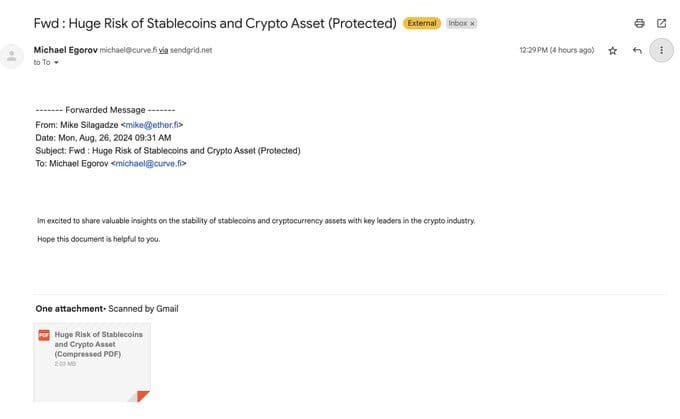
This one is harder to catch in Gmail. The attachment looks pretty normal. So you look for other signs:
- Do I know the sender? (I don't)
- Why forward me an email with no text? Weird.
- The message in the body of the original email is a bit weird, bad grammar/punctuation.
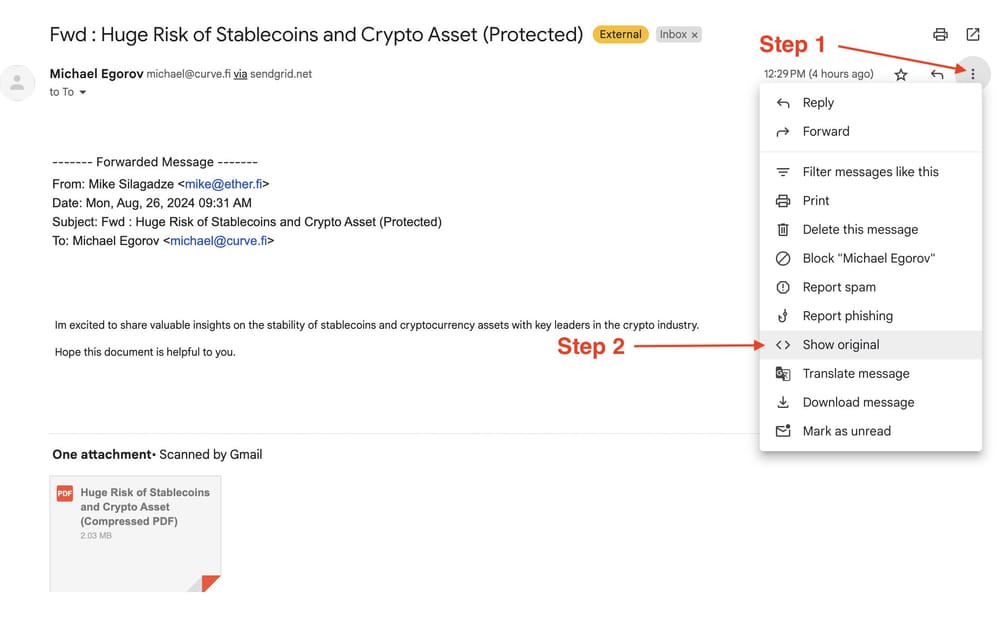
Once you get a whiff of phishy: PAUSE, don't click things.
Here's the trick most people don't know about, and how you can verify whether an email is risky.
Go to the Gmail side menu on the email itself, click on "Show Original."
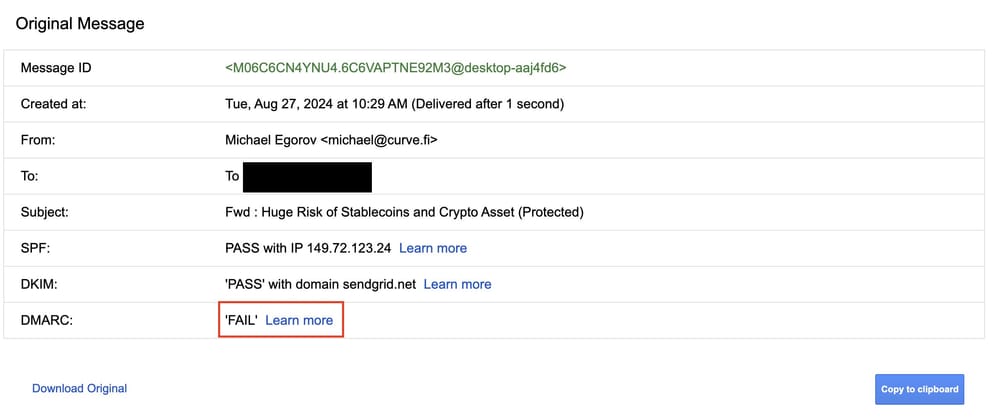
Then check the SPF, DKIM, and DMARC fields. If any of them say "FAIL," run away.
Some companies haven't set this up yet but it's still a good test for most emails, especially if you don't know the sender.
And in all scenarios, even if those things all PASS — if something seems a bit off or you don't know the sender, don't download attachments or click links.
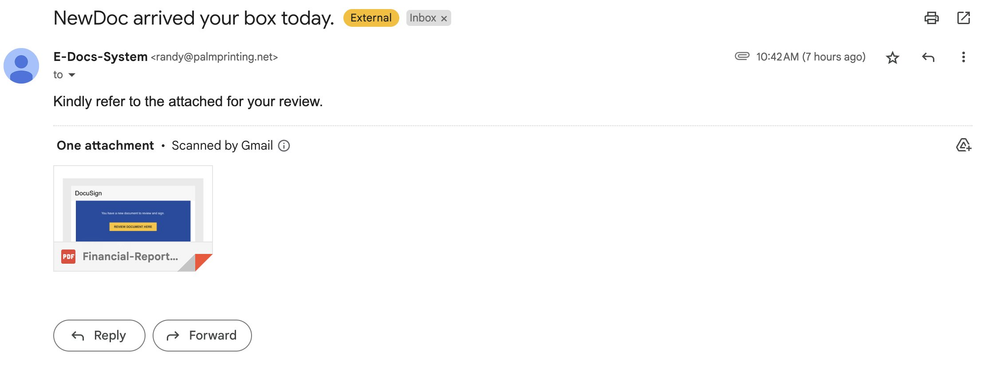
Here's another example I got this week. All 3 fields were PASS, but I don't know who this is and it looks phishy so: BOOM, REPORTED.
Stay safe out there — there are a lot of people getting targeted for their bitcoin right now. Here are a few other handy tips to avoid taking the bait:
- Don't trust unsolicited communications
- Screen calls from unknown numbers
- Verify claims about account issues yourself
- Never share a seed phrase online or over the phone
If you have more questions or want help protecting against this stuff, our team at Casa can help.
@Casa is not just about Bitcoin Security.
We're about Security for Bitcoiners.
#security #nostr

%20-%20Profi.png/:/cr=t:7.63%25,l:7.63%25,w:84.75%25,h:84.75%25/rs=w:1536,cg:true,m)