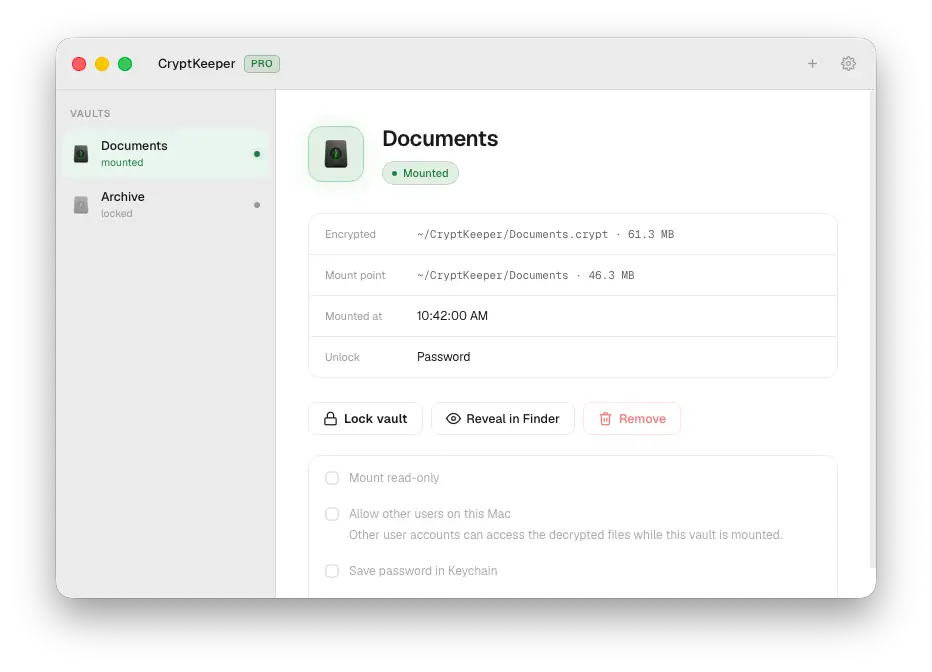
CryptKeeper beta — encrypted vaults on macOS
I've been building a desktop app for encrypted folders on Mac without the terminal. Every gocryptfs GUI I tried felt stuck in another era — clunky, dated, tolerable not enjoyable. CryptKeeper: gocryptfs under the hood, UI that fits Mac in 2026.
• .crypt on disk → Finder mount while unlocked → lock and gone
• Personal (free): 1 password vault
• Pro: unlimited vaults, Nostr nsec + Amber (NIP-46), menu bar, open at login, Keychain auto-unlock, archive-on-lock
• Offline Ed25519 license — no account, no telemetry
WHY NOT SOMETHING ELSE?
Terminal gocryptfs — same crypto, packaged.
Cryptomator — every OS today + cloud sync; CryptKeeper = Mac-native mounts + archive-on-lock. Linux & Windows planned.
VeraCrypt / FileVault — whole disk, not portable .crypt folders.
Cloud lockers — account + servers. CryptKeeper stays local.
Beta limits: Apple Silicon only (Intel at launch), macFUSE, not notarized. Cross-platform on roadmap.
Pro unlock via nsec/Amber. Launch: Bitcoin one-time, no subscription.
BETA OPEN →
https://cryptkeeper.store/Want Pro? Reply: Mac model + use case + npub or email → CK1 key → Settings → License → Save.
Feedback wanted: Nostr/Amber unlock, multi-vault, install friction.
#bitcoin #nostr #macos #privacy #gocryptfs #beta