Stop a held key from typing the same character repeatedly.
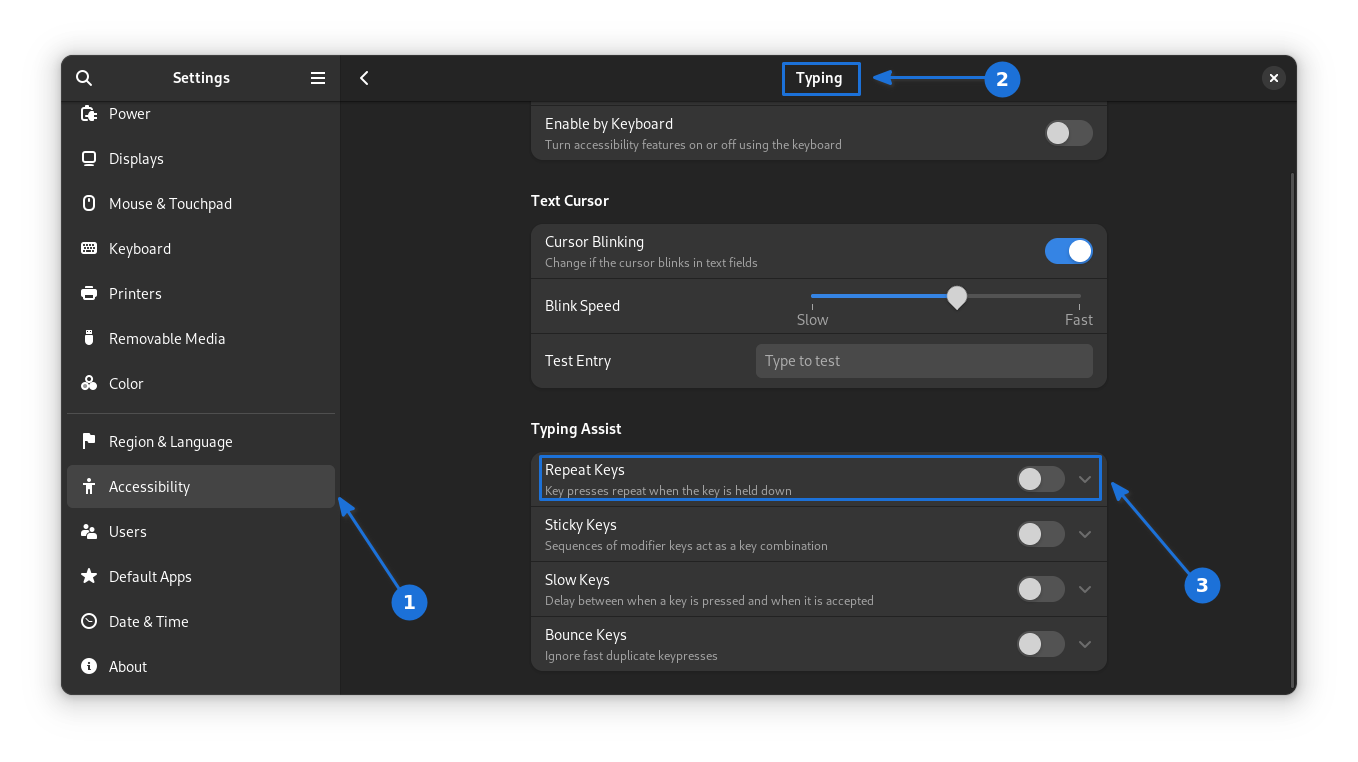
In Settings, go to Accessibility > Typing > Type Assist, then turn off the repeat key option. Now, holding down a character key will insert it only once.
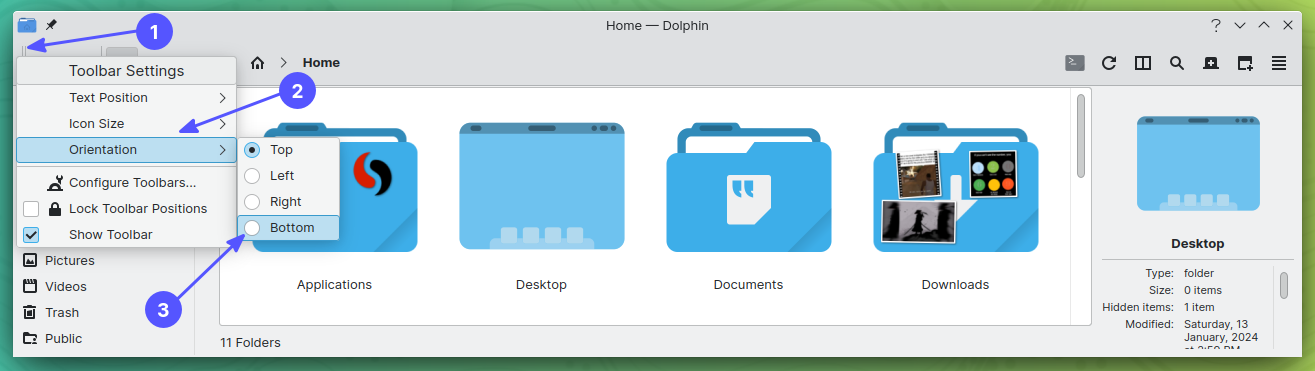
Dolphin's toolbar can sit at the top, bottom, left, or right.
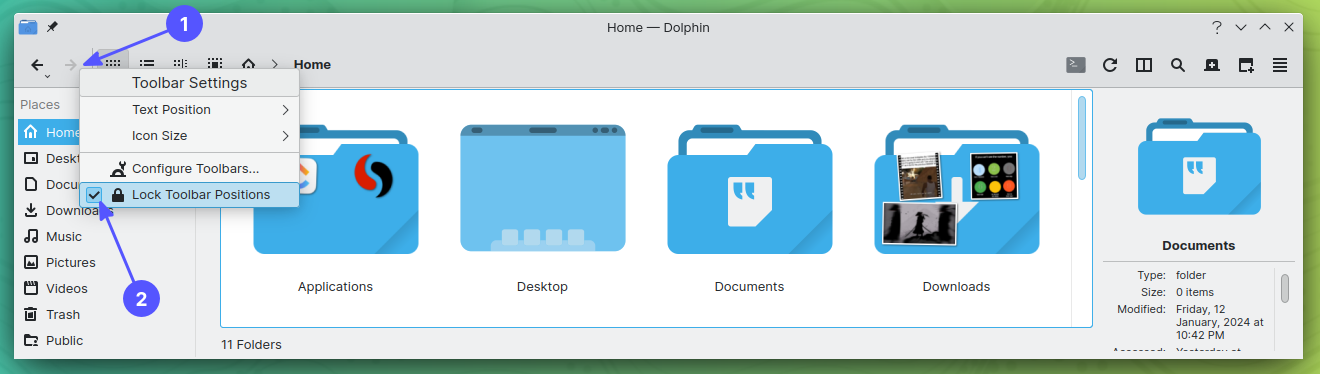
Right-click an empty toolbar area and uncheck “Lock Toolbar Positions.” Right-click the newly visible handle → “Orientation,” then choose a position. Re-enable “Lock Toolbar Positions” to keep it there.